Help Desk and Technical Support at Your Finger Tips
The MOS Help & Support system makes it easy to get help when you need it directly inside of Obsidian. With the client you can communicate to any WordPress site using a secure connection.
Whether you have a question, found a problem, or need assistance, we’re here for you!
- Submit, view and manage support tickets
- Customize your support needs
- Have conversations with support staff in the portal.
WordPress Dashboard
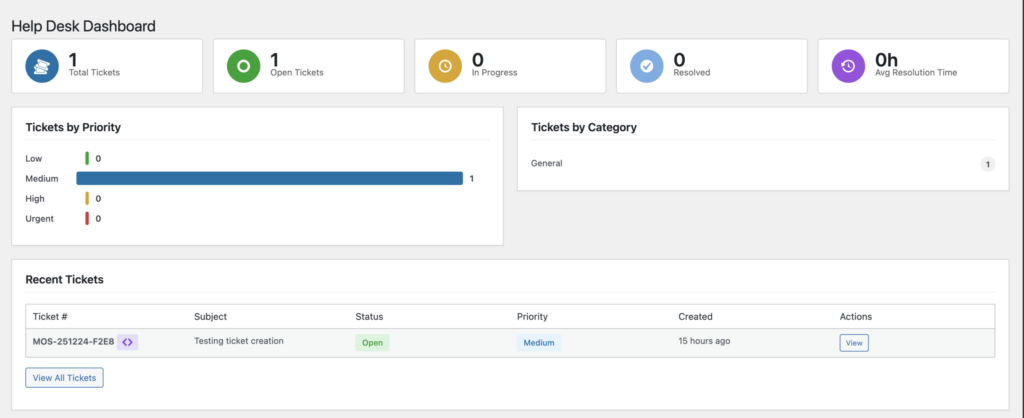
View Ticket status

Manage and Generate API Keys
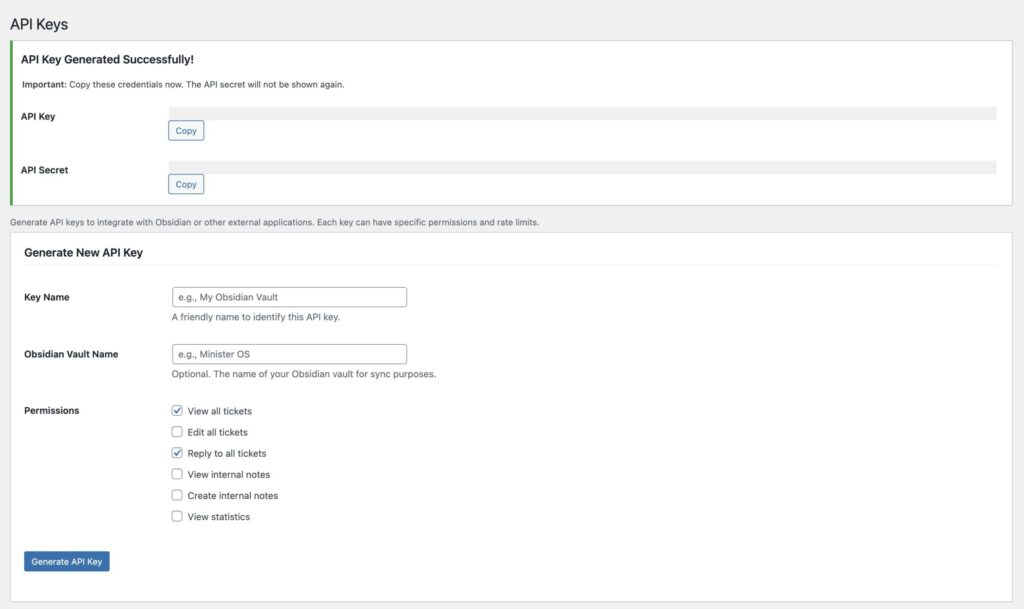
Web tickets
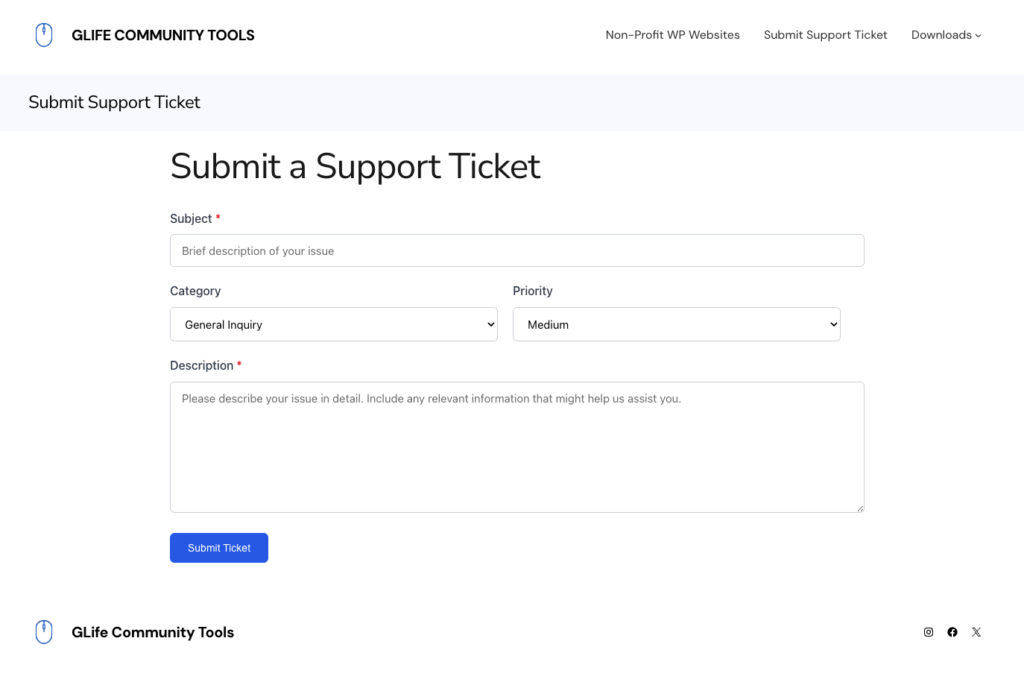
Obsidian Dashboard
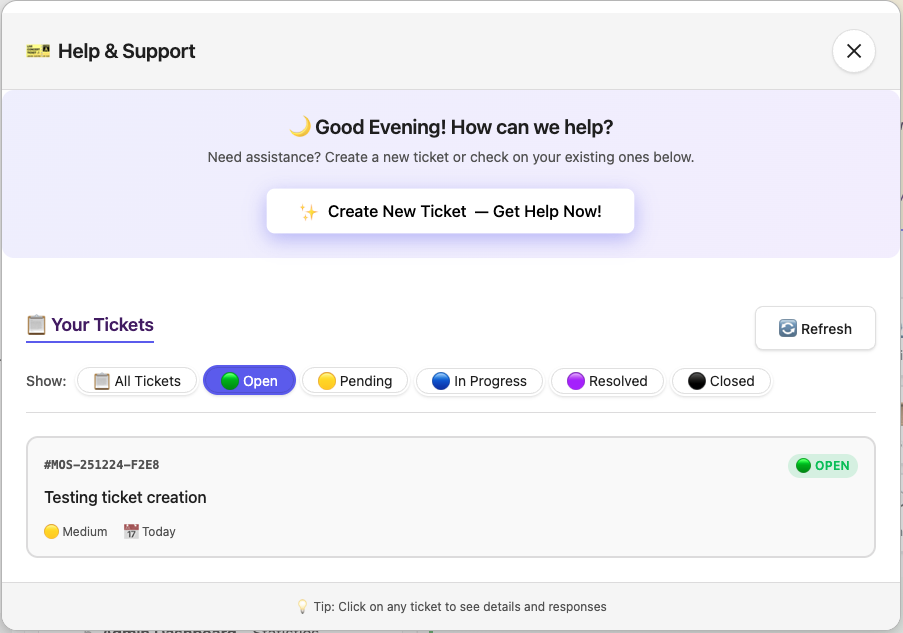
Clicking on the Dashboard icon  in the Obsidian will open the Help & Support Dashboard you see below.
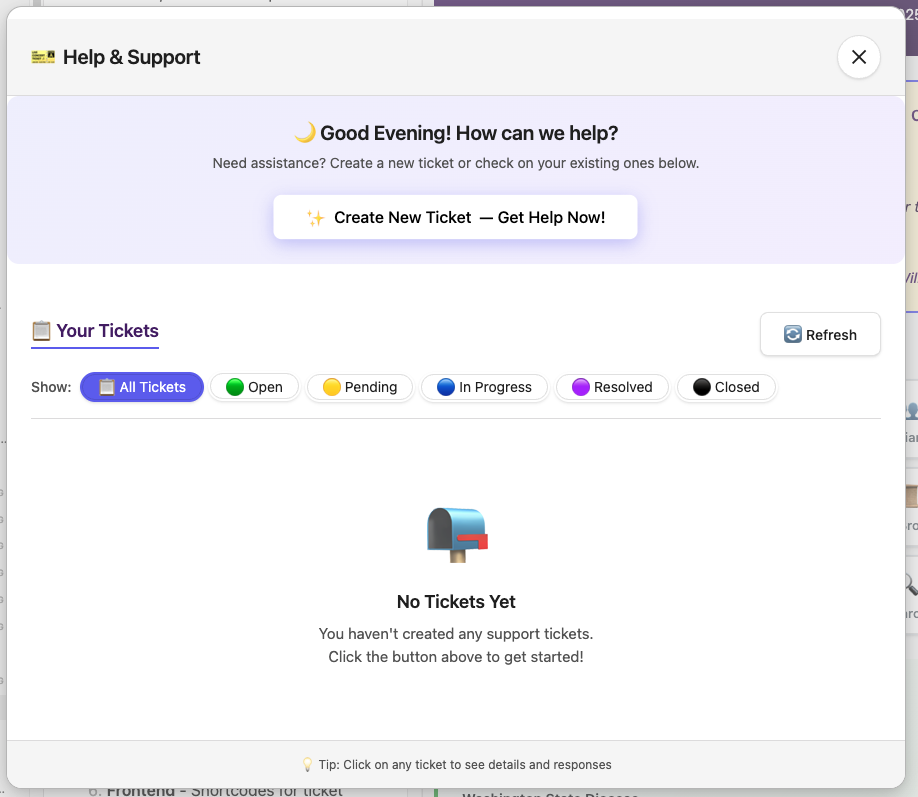
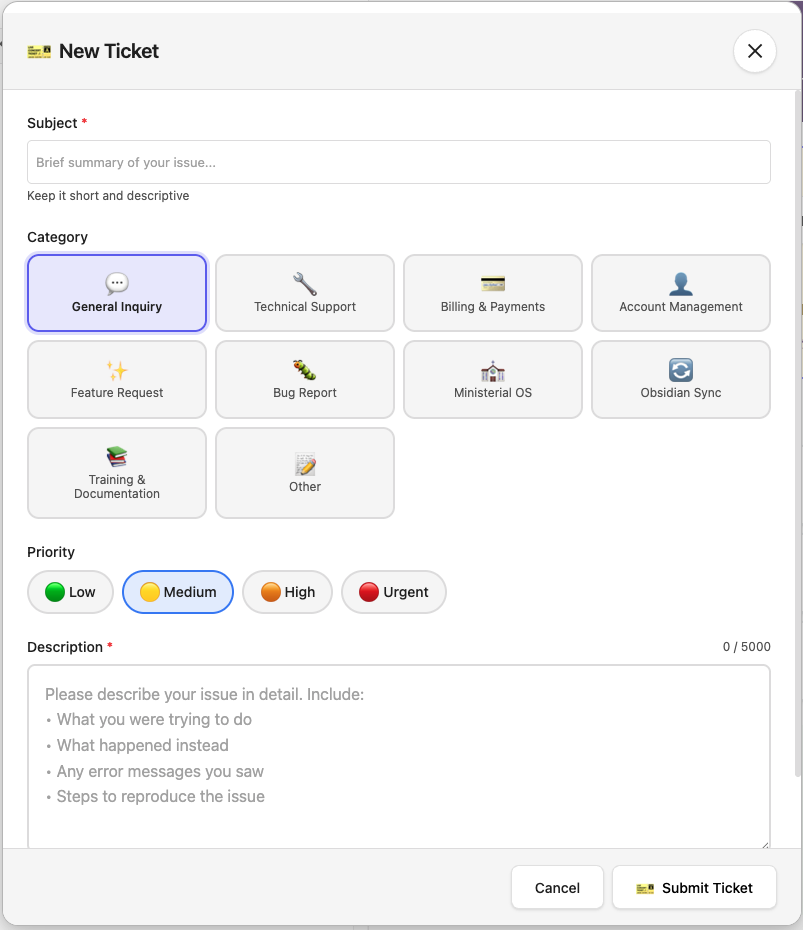
New ticket dashboard
The new ticket dashboard allow you to customize the type of support you need. Your request goes directly to the Help & Support system located at your church, diocese or region WordPress sites (yes all three).
View tickets
Your tickets and yours alone. When you create a ticket inside the Help & Support plugin.
View a ticket
When you want to respond or change a ticket status. Looks like a ticket don’t it?
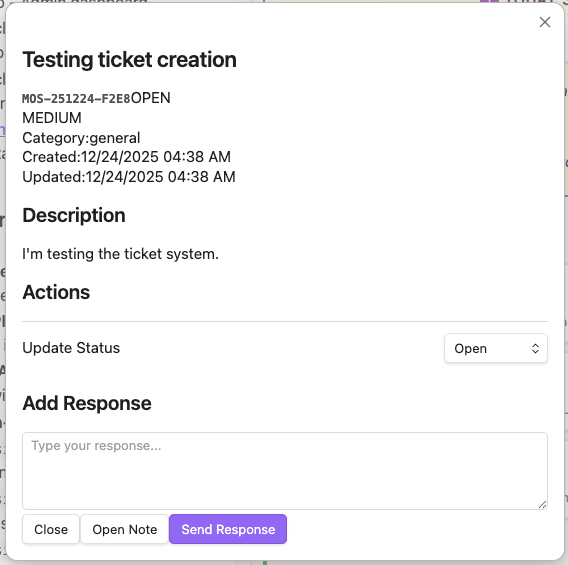
Make a new note
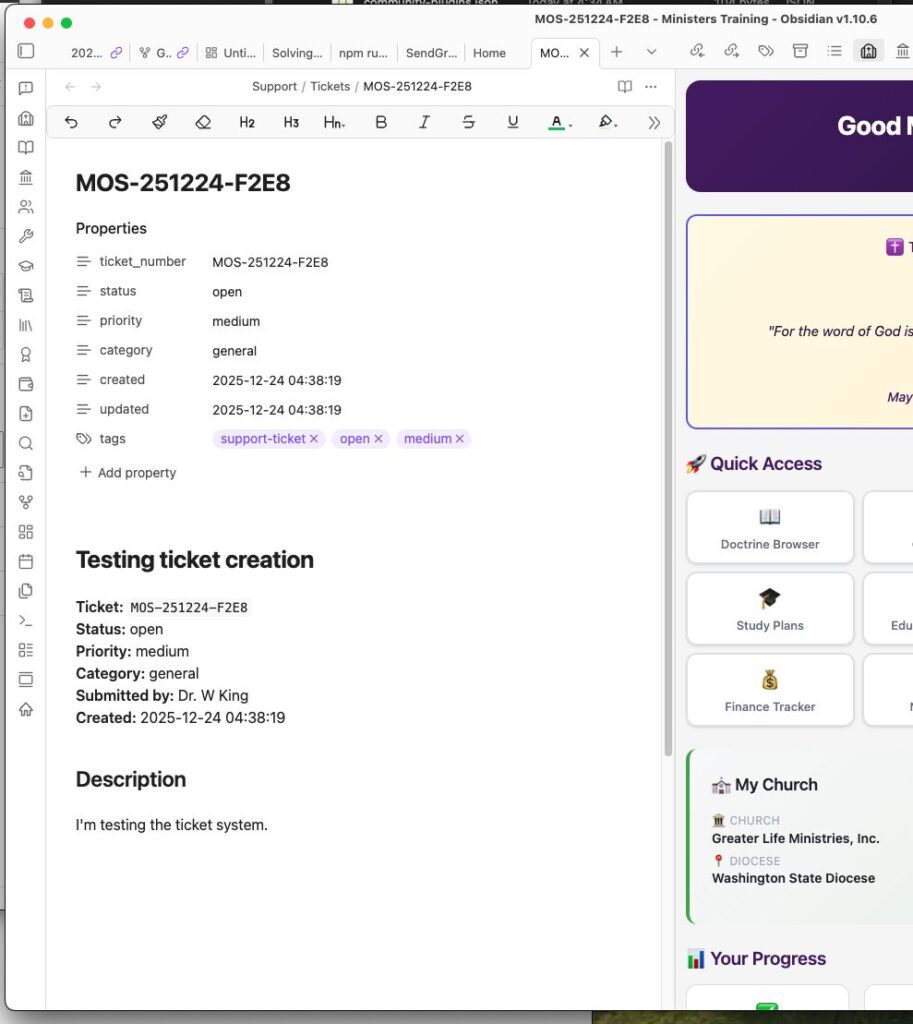
With the click of the “Open Note” button, your ticket data is becomes an obsidian note for you to link other notes, journal notes, calendar or even previous discussions recorded in other notes. Linking your thinking!!!